加强业务的数字发票流程
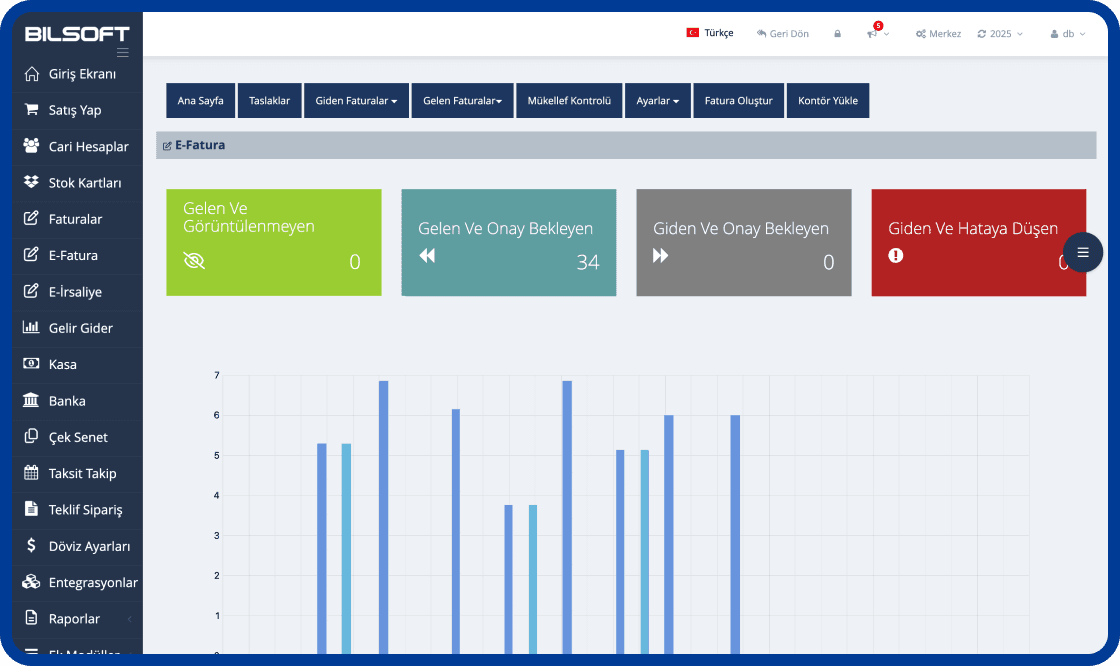
借助 Bilsoft 电子归档程序,您可以在数字环境中安全地创建、存储并轻松管理发票。GİB 合规的电子归档系统满足法律要求,降低交易成本,使发票流程更加高效。
e-Archive Invoice Creation
- Select customer and product details and create a GİB-compliant e-Archive invoice in a few steps.
存档
- 您可以牢固地归档至少10年。
草稿准备
- 您可以像电子邮件中一样准备草稿。
发送
- 您可以轻松地接收和发送电子邮件,执行发票操作。
查看和打印
- 您可以在没有时间和空间限制的情况下批量查看和打印。
经常帐户模块
无限的经常账户卡定义
无限的小组定义
股票/非股票销售的当前
向当前付款和收款
库存跟踪模块
仓库定义
没有条形码的产品的自动条形码定义
库存卡定义
加权产品的自动条形码定义
报告系统
当前卡的帐户报表,当前报告等
库存,仓库运动,股票清单报告等。
销售报告和销售图表
发票模块
购买,销售和退货发票编辑
快速零售
标准和加权产品条形码支持
将调度转换为发票
What is an e-Archive Program?
An e-Archive program is e-Transformation software that helps businesses create e-Archive invoices electronically, deliver them to customers, view them and store them digitally. With the Bilsoft e-Archive Program, e-Archive processes are managed from a single panel and invoicing is tracked together with current accounts, stock and other accounting processes.
You can use it together with the Online Accounting Program to run e-Archive with your accounting, and the e-Invoice Program for customers who are e-Invoice taxpayers.
How Does the e-Archive Program Work?
In the Bilsoft e-Archive Program the invoice process is completed in six steps, all from a single panel without additional software.
Entering Invoice Details
Customer details, invoice date and product or service lines are entered. Saved account and stock cards fill in the details automatically.
Creating the e-Archive Invoice
A GİB-compliant e-Archive invoice is created with one click; VAT and totals are calculated automatically.
Checking the Invoice
Customer, amount and line details are reviewed on the preview screen before approval; the invoice can be saved as a draft.
Sending It Digitally to the Customer
The approved invoice is delivered to the customer by e-mail as a PDF and reported to GİB.
Tracking the Invoice in the System
Status, collection and account posting of sent invoices are monitored instantly in the program.
Storing the e-Archive Invoice Digitally
All invoices are archived electronically and can be viewed anytime by date, customer or invoice number.
How to Issue an e-Archive Invoice?
After entering customer and invoice details in the Bilsoft e-Archive Program, product or service lines are added. Details are checked, the e-Archive invoice is created and can be delivered to the customer electronically. Created invoices can later be viewed and tracked in the system.
Cancelling an e-Archive Invoice
According to GİB rules an e-Archive invoice can be cancelled within 8 days of its date; the cancellation is done in Bilsoft and reported to GİB. After that period a return invoice is issued. See our guide How to Cancel an e-Archive Invoice? for step-by-step instructions.
Who Can Use the e-Archive Program?
SMEs, sole proprietorships, e-commerce businesses, retail stores, service businesses and any business that wants to manage invoicing electronically can use the Bilsoft e-Archive Program. Depending on the business, e-Archive operations can be managed together with current accounts, stock, sales and other accounting processes.
SMEs and sole proprietorships
Small teams issue and archive their own invoices without accounting expertise.
E-commerce businesses
High-volume invoices to end consumers are generated automatically, integrated with order data.
Retail stores
e-Archive invoices are issued directly from the till together with barcode sales and stock tracking.
Service businesses
Consulting, service and maintenance invoices are e-mailed instantly and collections are tracked on the account.
What Is the Difference Between e-Archive and e-Invoice?
Both documents are issued electronically; the difference is who the recipient is and how the document is delivered. You can issue both from a single panel in Bilsoft.
| Feature | e-Archive Invoice | e-Invoice |
|---|---|---|
| Scope of use | Invoices issued to customers who are not e-Invoice taxpayers and to end consumers | Invoices between companies that are e-Invoice taxpayers |
| Recipient | Individuals and businesses not registered in the GİB e-Invoice system | Taxpayers registered in the GİB e-Invoice system |
| Delivery process | Invoice is e-mailed to the customer and reported to GİB | Invoice is delivered to the recipient e-Invoice account via the GİB system |
| Invoice management | Cancellation is done in the program within 8 days and reported to GİB | Acceptance, rejection and objection are done by the recipient via GİB within 8 days |
| Using in Bilsoft | Created, sent and archived from a single panel with the Bilsoft e-Archive Program | Managed from the same panel; see the e-Invoice Program page for details |
See our e-Invoice Program page for details.
Bilsoft 电子归档系统优势,助力企业迈向未来
Bilsoft 电子归档程序让您可在任何有网络的地方创建、发送和数字化存储发票,简化企业的会计流程。
What to Consider When Choosing an e-Archive Program?
An e-Archive program should do more than issue invoices; it should work with your e-Invoice, account, stock and accounting processes. We recommend evaluating the following criteria.
Ease of use
Creating, sending and archiving invoices should take a few steps without accounting expertise.
GİB compliance
The program must follow GİB technical standards, report invoices automatically and reflect regulatory updates.
e-Invoice integration
Issuing e-Invoices from the same panel for e-Invoice taxpayer customers removes the need for two programs.
Accounting integration
Invoices should post automatically to income-expense, cash and bank records without re-entry.
Current account tracking
Issued invoices should reflect in customer accounts with instant balances, statements and collections.
Stock management
Products on invoices should be deducted from stock automatically, with barcode and warehouse support.
Invoice archiving
Invoices must be stored on secure, redundant servers for the legal retention period with fast access.
Reporting features
Reports on issued and cancelled invoices, VAT, turnover and customers should be available in the program.
Mobile and web access
Invoices should be accessible from computer, tablet and phone without being tied to the office.
Technical support
A support team reachable by phone, live chat and remote connection is essential for outages or invoice errors.
API and integration options
E-commerce, marketplace, bank and cargo integrations plus open API support connect invoicing to your other systems.
Bilsoft e-Archive Program User Reviews
关于电子档案的常见问题
了解有关我们经常询问的问题列表的更多信息,并与我们的客户支持联系,如果您有任何要求。
Bilsoft E-Archive计划适合各种规模的企业,包括不是电子发货纳税人的公司。
Bilsoft E-Archive计划与GİB(收入管理)集成在一起。得益于此集成,向GİB报告了所有发行的电子架构发票。因此,发票操作变得完全合法并符合法规。
电子发票是在两个E式纳税人之间发行的电子发票类型,仅在E票据用户之间有效。电子构造发票是发行给不是电子发货纳税人的人员和机构发行的电子发票。
Bilsoft E-Archive程序可以与移动设备兼容。借助其基于网络的基础架构,可以通过手机,平板电脑和笔记本电脑从任何地方提供访问权限。
你有问题吗?
我们每时每刻都和你在一起!
不要让您的业务停止,我们为您的所有问题提供解决方案。我们在这里获得快速可靠的支持!