E-Archive
With Bilsoft E-Archive, you can create your invoices in electronic environment, store them securely and manage them easily. Digitize your E-Archive processes to save time and increase your operational efficiency.
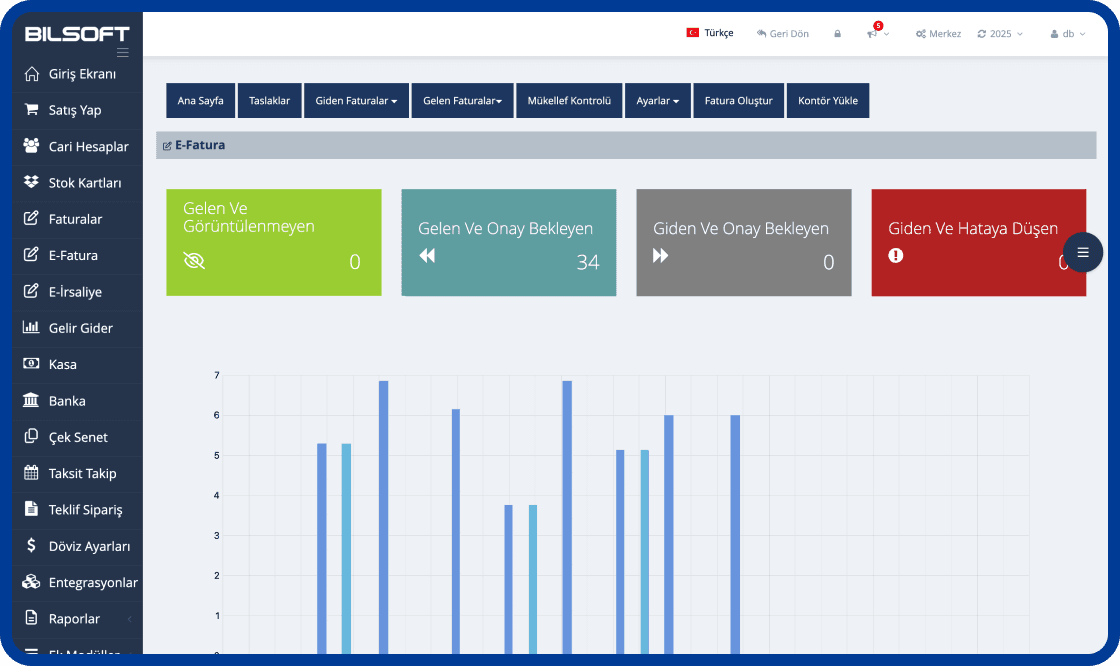
Strengthen Your Business's Digital Invoice Processes
Thanks to Bilsoft E-Archive program, you can securely create, store and easily manage your invoices in digital environment. The E-Archive system, which meets legal requirements with GİB-compatible infrastructure, reduces transaction costs while making your invoice processes more efficient.
e-Archive Invoice Creation
- Select customer and product details and create a GİB-compliant e-Archive invoice in a few steps.
Archiving
- You can archive securely for a minimum of 10 years.
Draft Preparation
- You can prepare as draft just like in emails.
Sending
- You can perform your invoice operations with the ease of receiving and sending emails.
Viewing and Printing
- You can view and print in bulk without time and space limitations.
Current Account Module
Unlimited Current Account card definition
Unlimited group definition
Current with Stock/Non-Stock Sales
Making payment and collection to current
Stock Tracking Module
Warehouse definition
Automatic barcode definition for products without barcode
Stock card definition
Automatic barcode definition for weighted products
Reporting System
Account statement, bulk current report etc. for current cards
Stock, warehouse movements, stock lists report etc.
Sales report and sales chart
Invoice Module
Purchase, sales and return invoice editing
Making quick retail sales
Standard and weighted product barcode support
Converting dispatch to invoice
What is an e-Archive Program?
An e-Archive program is e-Transformation software that helps businesses create e-Archive invoices electronically, deliver them to customers, view them and store them digitally. With the Bilsoft e-Archive Program, e-Archive processes are managed from a single panel and invoicing is tracked together with current accounts, stock and other accounting processes.
You can use it together with the Online Accounting Program to run e-Archive with your accounting, and the e-Invoice Program for customers who are e-Invoice taxpayers.
How Does the e-Archive Program Work?
In the Bilsoft e-Archive Program the invoice process is completed in six steps, all from a single panel without additional software.
Entering Invoice Details
Customer details, invoice date and product or service lines are entered. Saved account and stock cards fill in the details automatically.
Creating the e-Archive Invoice
A GİB-compliant e-Archive invoice is created with one click; VAT and totals are calculated automatically.
Checking the Invoice
Customer, amount and line details are reviewed on the preview screen before approval; the invoice can be saved as a draft.
Sending It Digitally to the Customer
The approved invoice is delivered to the customer by e-mail as a PDF and reported to GİB.
Tracking the Invoice in the System
Status, collection and account posting of sent invoices are monitored instantly in the program.
Storing the e-Archive Invoice Digitally
All invoices are archived electronically and can be viewed anytime by date, customer or invoice number.
How to Issue an e-Archive Invoice?
After entering customer and invoice details in the Bilsoft e-Archive Program, product or service lines are added. Details are checked, the e-Archive invoice is created and can be delivered to the customer electronically. Created invoices can later be viewed and tracked in the system.
Cancelling an e-Archive Invoice
According to GİB rules an e-Archive invoice can be cancelled within 8 days of its date; the cancellation is done in Bilsoft and reported to GİB. After that period a return invoice is issued. See our guide How to Cancel an e-Archive Invoice? for step-by-step instructions.
Who Can Use the e-Archive Program?
SMEs, sole proprietorships, e-commerce businesses, retail stores, service businesses and any business that wants to manage invoicing electronically can use the Bilsoft e-Archive Program. Depending on the business, e-Archive operations can be managed together with current accounts, stock, sales and other accounting processes.
SMEs and sole proprietorships
Small teams issue and archive their own invoices without accounting expertise.
E-commerce businesses
High-volume invoices to end consumers are generated automatically, integrated with order data.
Retail stores
e-Archive invoices are issued directly from the till together with barcode sales and stock tracking.
Service businesses
Consulting, service and maintenance invoices are e-mailed instantly and collections are tracked on the account.
What Is the Difference Between e-Archive and e-Invoice?
Both documents are issued electronically; the difference is who the recipient is and how the document is delivered. You can issue both from a single panel in Bilsoft.
| Feature | e-Archive Invoice | e-Invoice |
|---|---|---|
| Scope of use | Invoices issued to customers who are not e-Invoice taxpayers and to end consumers | Invoices between companies that are e-Invoice taxpayers |
| Recipient | Individuals and businesses not registered in the GİB e-Invoice system | Taxpayers registered in the GİB e-Invoice system |
| Delivery process | Invoice is e-mailed to the customer and reported to GİB | Invoice is delivered to the recipient e-Invoice account via the GİB system |
| Invoice management | Cancellation is done in the program within 8 days and reported to GİB | Acceptance, rejection and objection are done by the recipient via GİB within 8 days |
| Using in Bilsoft | Created, sent and archived from a single panel with the Bilsoft e-Archive Program | Managed from the same panel; see the e-Invoice Program page for details |
See our e-Invoice Program page for details.
What Are the Advantages of the Bilsoft e-Archive Program?
Bilsoft e-Archive program, which offers the opportunity to create, send and store your invoices digitally from anywhere with internet, facilitates your business's accounting processes.
Easy Use & Fast Processing
With the Bilsoft e-Archive Program, e-Archive invoices are created, viewed, delivered digitally to customers and tracked from a single panel. Thanks to the web-based structure, operations can be accessed from different devices and the need for physical invoice archiving is reduced.
10 Years Secure Archiving
All created e-Archive invoices are stored digitally on secure, redundant servers for at least 10 years, meeting the legal retention period. Paper archives, filing cabinets and physical storage are no longer needed. Past invoices are found in seconds by date, customer or invoice number, speeding up audits and reconciliations.
Legal Compliance & GİB Integration
The Bilsoft e-Archive Program follows the technical standards set by the Revenue Administration (GİB). Every e-Archive invoice is reported to GİB automatically and regulatory changes are reflected through system updates, so businesses stay compliant without extra work and are protected against penalties.
Fast Sending with E-Mail
Created e-Archive invoices are sent to the customer e-mail address with one click. The invoice reaches the recipient as a PDF with no postal or courier delay. Delivery status can be tracked in the program and invoices can be resent when needed, speeding up collections and making customer communication more professional.
Paper and Printing Cost Savings
Creating and delivering invoices electronically removes paper, toner, envelope and postage costs. No space or filing labour is needed for a physical archive. The more invoices you issue during the year, the greater the savings; businesses cut costs while moving to an environmentally friendly way of working.
What to Consider When Choosing an e-Archive Program?
An e-Archive program should do more than issue invoices; it should work with your e-Invoice, account, stock and accounting processes. We recommend evaluating the following criteria.
Ease of use
Creating, sending and archiving invoices should take a few steps without accounting expertise.
GİB compliance
The program must follow GİB technical standards, report invoices automatically and reflect regulatory updates.
e-Invoice integration
Issuing e-Invoices from the same panel for e-Invoice taxpayer customers removes the need for two programs.
Accounting integration
Invoices should post automatically to income-expense, cash and bank records without re-entry.
Current account tracking
Issued invoices should reflect in customer accounts with instant balances, statements and collections.
Stock management
Products on invoices should be deducted from stock automatically, with barcode and warehouse support.
Invoice archiving
Invoices must be stored on secure, redundant servers for the legal retention period with fast access.
Reporting features
Reports on issued and cancelled invoices, VAT, turnover and customers should be available in the program.
Mobile and web access
Invoices should be accessible from computer, tablet and phone without being tied to the office.
Technical support
A support team reachable by phone, live chat and remote connection is essential for outages or invoice errors.
API and integration options
E-commerce, marketplace, bank and cargo integrations plus open API support connect invoicing to your other systems.
Bilsoft e-Archive Program User Reviews
Frequently Asked Questions About e-Archive
Learn more about our frequently asked questions list and contact our Customer Support if you have anything to ask.
Bilsoft E-Archive Program is suitable for businesses of all sizes, including companies that are not E-Invoice taxpayers.
Bilsoft E-Archive Program works integrated with GİB (Revenue Administration). Thanks to this integration, all e-archive invoices issued are reported to GİB. Thus, invoice operations become completely legal and compliant with regulations.
E-Invoice is an electronic invoice type issued between two e-invoice taxpayers and is only valid between e-invoice users. E-Archive Invoice is an electronic invoice issued to persons and institutions that are not e-invoice taxpayers.
Bilsoft E-Archive Program can work compatible with mobile devices. Thanks to its web-based infrastructure, access can be provided from anywhere with internet connection via mobile phones, tablets and laptops.
Do you have a question?
We Are With You Every Moment!
Don't let your business stop, we provide solutions to all your questions. We are here for fast and reliable support!